Blender For Beginners 3d Modeling, Rendering & Animation
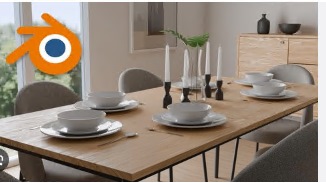
Blender For Beginners: 3d Modeling, Rendering & Animation
Published 5/2026
Created by CADArtifex LLC
MP4 | Video: h264, 1920x1080 | Audio: AAC, 44.1 KHz, 2 Ch
Level: Beginner | Genre: eLearning | Language: English | Duration: 76 Lectures ( 6h 11m ) | Size: 5.3 GB
Learn Blender from scratch with practical projects: modeling, sculpting, texturing, lighting, rendering & animation
What you'll learn
✓ Create 3D models from scratch using professional modeling tools and workflows in Blender.
✓ Sculpt organic shapes and characters using brushes, symmetry, and dynamic topology.
✓ Apply materials and textures using shader nodes to create realistic surface details.
✓ Set up and control lighting to enhance realism and visual quality in your 3D scenes.
✓ Render high-quality images using proper camera setup, sampling, and render settings.
✓ Create smooth animations using keyframes, graph editor, and basic rigging techniques.
Requirements
● No prior experience required—you will learn everything from scratch.
● A computer capable of running Blender smoothly.
● Blender software (free to download and install).
● Willingness to practice and complete hands-on projects.
Description
Are you ready to start your journey into the world of 3D design and animation?
This beginner-friendly Blender course is designed to help you learn Blender from scratch through a structured, step-by-step, project-based approach. Whether you're a student, designer, engineer, or complete beginner, this course will take you from absolute zero to confidently creating complete 3D projects.
You'll begin by mastering the Blender interface, navigation, and essential tools. You'll learn how to use the 3D cursor, apply transformations (move, rotate, scale), and create basic shapes to build a strong foundation.
Next, you'll dive into 3D modeling using Edit Mode tools and modifiers to create clean, efficient, and professional geometry. You'll also explore intermediate workflows using powerful modifiers like Array, Boolean, and Shrinkwrap to build more complex models with ease.
As you progress, you'll learn sculpting techniques to create organic shapes and character models using brushes, symmetry, and dynamic topology.
The course also covers materials, shading, and texturing using shader nodes, helping you create realistic surfaces such as glass, liquids, and glowing materials. You'll then learn lighting, camera setup, and rendering techniques to produce high-quality, professional results.
Finally, you'll explore animation and basic rigging, where you'll create smooth keyframe animations, use the graph editor, and build simple rigs using armatures.
Hands-On Projects You'll Build
This course is fully project-based, allowing you to apply every concept you learn
• Modeling a simple table
• Creating a wooden bench and dustbin
• Designing a beverage can and computer mouse
• Sculpting a cartoon character head
• Creating a perfume bottle and decorative lamp
• Rendering a realistic dice and billiard ball
• Animating a bouncing ball and a stylized product animation
What You'll Achieve
By the end of this course, you will be able to
• Create professional-quality 3D models
• Apply realistic materials and textures
• Set up lighting and render high-quality images
• Build and animate simple 3D scenes
• Develop a strong portfolio with real-world projects
You'll also receive a certificate of completion and have access to dedicated technical support whenever you need assistance.
No prior experience is required—just a computer and your creativity.
Start your Blender journey today and bring your ideas to life.
Who this course is for
■ Beginners who want to learn 3D modeling and animation from scratch using Blender.
■ Students and hobbyists interested in 3D design, animation, and digital art.
■ Designers and engineers looking to expand their skills into 3D workflows and visualization.
■ Anyone who wants to create 3D models, renders, and animations for projects or portfolio.
■ Content creators and freelancers interested in product visualization and creative design.
https://rapidgator.net/file/17a970340d36101033e39533b8ae57ab/Blender_for_Beginners_3D_Modeling,_Rendering_&_Animation.part1.rar.html,_Rendering_&_Animation.part6.rar.html
https://rapidgator.net/file/5d7cdf5c0b21c4022e6e6af14bee182c/Blender_for_Beginners_3D_Modeling,_Rendering_&_Animation.part2.rar.html,_Rendering_&_Animation.part5.rar.html
https://rapidgator.net/file/7f6a51c480f748667c8bf8f0f231cf21/Blender_for_Beginners_3D_Modeling,_Rendering_&_Animation.part3.rar.html,_Rendering_&_Animation.part4.rar.html
https://rapidgator.net/file/88b89dc01113934b8f956095b38a1088/Blender_for_Beginners_3D_Modeling,_Rendering_&_Animation.part4.rar.html,_Rendering_&_Animation.part3.rar.html
https://rapidgator.net/file/217393e1f12b614581190174dd822a97/Blender_for_Beginners_3D_Modeling,_Rendering_&_Animation.part5.rar.html,_Rendering_&_Animation.part2.rar.html
https://rapidgator.net/file/214a1a9823adf1c612d1a46924ebf393/Blender_for_Beginners_3D_Modeling,_Rendering_&_Animation.part6.rar.html,_Rendering_&_Animation.part1.rar.html

Information
Users of Guests are not allowed to comment this publication.