Full Stack Expense Tracker App With React Native & Expo
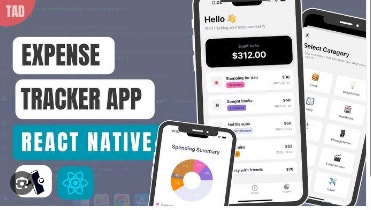
Full Stack Expense Tracker App With React Native & Expo
Published 4/2026
Created by Amit Rai
MP4 | Video: h264, 1920x1080 | Audio: AAC, 44.1 KHz, 2 Ch
Level: All Levels | Genre: eLearning | Language: English | Duration: 13 Lectures ( 3h 0m ) | Size: 3.3 GB
Build a Full Stack Expense Tracker App with React Native, Expo, Nativewind, TypeScript, Clerk, Neon, Drizzle in 2026
What you'll learn
✓ Build a real-world expense tracker application from scratch using React Native and Expo
✓ Implement sign-in with Google, GitHub, and Apple, along with protected routes and session handling using Clerk
✓ Design and manage a scalable backend using Neon PostgreSQL, including handling expenses, categories, and user data
✓ Add expenses, including secure create, edit, and delete operations using the Neon database and Expo API routes
✓ Create clean, professional UI screens using React Native, NativeWind, and best practices
✓ Manage global application state efficiently using Zustand
✓ Apply industry-standard patterns to build maintainable and scalable applications
✓ Add a full-stack application project to your resume and portfolio
Requirements
● Basic knowledge of React
Description
Are you ready to build a real-world mobile application and strengthen your frontend developer portfolio?
In this course, you will build a full-stack expense tracker app that runs on both iOS and Android, with full light and dark mode support using React Native, Expo, Neon, and Clerk.
This is a project-first course focused on practical implementation rather than theory.
What you'll build
You will build a full-stack mobile application using React Native, Expo, Neon, and Clerk. This financial app allows you to track expenses, add new ones, view insights, and perform actions like editing and deleting.
By the end of this course, you will have a mobile application that you can add to your resume and portfolio.
Tech Stack Used
• React Native and Expo for cross-platform mobile development
• Clerk for secure authentication, including Google, GitHub, and Apple
• Neon for secure data handling, integrated with an ORM called Drizzle for database management
• TypeScript for writing clean, reliable, and production-ready code
• NativeWind for styling and professional UI
Project Features
Authentication & Security
• Users can sign in and sign up using Google, GitHub, and Apple
• Protected routes for authenticated users
Expense Tracking
• Users can add expenses by entering the title, amount, category, date, and icon
• Users can create, update, and delete expenses through a clean workflow
• View monthly expenses with beautiful charts and a total expense summary card
• Supports categories such as Food, Entertainment, Bills, Transport, and more
• Track top spending categories
• View recent transactions in a clean UI
Profile & Account Management
• View and update user details such as name, profile, and username
• Delete the user account
• Log out functionality, with options to link or remove Google, GitHub, and Apple accounts
Build & Deployment
• Configure Expo for production builds
• Understand real-world development and maintenance workflows
Course Outcome
• Build a full-stack mobile application using React Native and Expo
• Implement secure authentication using Clerk (Google, GitHub, and Apple)
• Design and manage a scalable backend using Neon PostgreSQL and Drizzle ORM
• Create and manage expenses with full CRUD operations
• Develop clean, responsive, and professional UI
• Manage global state efficiently using Zustand
• Apply industry-standard patterns for scalable and maintainable applications
• Work with Expo API routes
• Implement charts and insights for real-world data visualization
• Add full-stack project to your resume and portfolio
If you're ready to build something impressive and gain real-world skills, let's get started. I'll see you inside the course.
Who this course is for
■ Developers who want to build a real-world mobile application using React Native rather than just learning theory
■ jаvascript and React developers looking to transition into mobile app development
■ Developers who want to build full-stack mobile apps, including authentication and database integration
■ React Native beginners who want a step-by-step, project-based learning experience
■ Developers who want to add a full-stack application project to their resume and portfolio
■ Learners who wants to gain practical skills and improve their chances of landing a developer job
■ Developers who want to learn how to build scalable applications using best practices and patterns
■ Developers who want to build professional UIs using React Native and Expo
■ Freelancers interested in learning Neon PostgreSQL, React Native, Expo, TypeScript, and NativeWind
https://rapidgator.net/file/3ddfc4d0258c05e2f160272f51f36152/Full_Stack_Expense_Tracker_App_with_React_Native_&_Expo.part4.rar.html
https://rapidgator.net/file/629d198a92259aa645658e6ad2820645/Full_Stack_Expense_Tracker_App_with_React_Native_&_Expo.part3.rar.html
https://rapidgator.net/file/d657f7d2f51fed959767b895dffb3fb4/Full_Stack_Expense_Tracker_App_with_React_Native_&_Expo.part2.rar.html
https://rapidgator.net/file/a63715d412760fd4dba5f864e43fba14/Full_Stack_Expense_Tracker_App_with_React_Native_&_Expo.part1.rar.html

Information
Users of Guests are not allowed to comment this publication.