Windows 11 26H2 Build 26300.9550 (No TPM Required) Aio 16in1 Preactivated (Final) | Size: 7.25 GB
Language: English
Windows 11 version 26H2 also known as the Windows 11 2026 Update,is built on the same servicing foundation as recent Windows 11 releases. It delivers the latest Windows innovations with a streamlined update experience designed to minimize disruption and help you stay secure, productive, and up to date.
For many eligible devices, moving to version 26H2 is as simple as installing a small enablement package, with a minimal download size, quick installation, and a single restart. Version 26H2 enables most of the features that were introduced in monthly updates for Windows 11, version 25H2.
What's new in Windows 11, version 26H2
Windows 11, version 26H2 is the next annual feature update for Windows 11. It builds on the same servicing foundation as Windows 11, versions 25H2 and 24H2, helping organizations adopt the latest release with minimal disruption. Devices running eligible versions of Windows 11 can move to version 26H2 through a small enablement package rather than a full operating system upgrade.
 Read More

Windows 11 Pro 26H2 Build 26300.9550 Preactivated (Final) | Size: 6.79 GB
Language: English
Windows 11 version 26H2 also known as the Windows 11 2026 Update,is built on the same servicing foundation as recent Windows 11 releases. It delivers the latest Windows innovations with a streamlined update experience designed to minimize disruption and help you stay secure, productive, and up to date.
For many eligible devices, moving to version 26H2 is as simple as installing a small enablement package, with a minimal download size, quick installation, and a single restart. Version 26H2 enables most of the features that were introduced in monthly updates for Windows 11, version 25H2.
What's new in Windows 11, version 26H2
Windows 11, version 26H2 is the next annual feature update for Windows 11. It builds on the same servicing foundation as Windows 11, versions 25H2 and 24H2, helping organizations adopt the latest release with minimal disruption. Devices running eligible versions of Windows 11 can move to version 26H2 through a small enablement package rather than a full operating system upgrade.
Read More

Windows 11 Pro 26H2 Build 26300.9278 Extreme 11 v3 Edition (Preview) | Size: 6.89 GB
Windows x64 | No TPM | Languages: English
Extreme 11 26H2 V3: a new Windows 11 26H2 Release Preview release!,This one is for everyday use, gaming and eerything else.
Services tweaked for performance.
Public Release updates work on this one.
System Requirements For Windows 11
Processor: 2 gigahertz (GHz) or faster.
RAM: 2 gigabyte (GB).
Free space on hard disk: 25 gigabytes (GB).
Graphics card: DirectX 9 graphics device or a newer version.
Additional requirements to use certain features.
To use touch you need a tablet or monitor that supports multitouch.
To access the Windows store to download and run apps, you need an active Internet connection and a screen resolution of at least 1024 x 768 pixels
Read More

Windows 11 Pro 26H2 Build 26300.9032 Extreme 11 v2 Edition (Preview) | Size: 7.3 GB
Windows x64 | No TPM | Languages: English
Extreme 11 26H2 V2: an update to Extreme 11 26H2 with many new changes,Based on a new release, still in the Insider Experimental channel so read below,This is the best-looking OS I've made in a while.
Read More
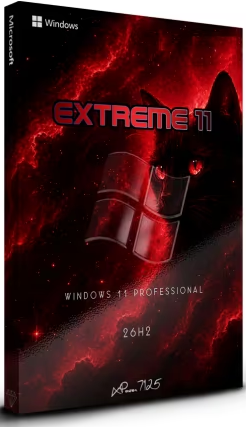
Windows 11 Pro 26H2 Build 26300.8697 Extreme 11 Edition (Preview) | Size: 6.09 GB
Windows x64 | No TPM | Languages: English
Extreme 11 26H2: a new Windows 11 semi-untouched build This one is based on the experimental 26H2 release.
IMPORTANT NOTE
This build, being in the Experimental channel of the Windows Insider Program has an expiration date set for August 11, 2026.
I recommend enabling updates and keeping your system up-to-adte.
If you aren't confortable with this, wait for a future release based on a Release Preview or release build.
How to enable updates
To enable updates go to the OfflineInsiderEnroll folder on the desktop, first unpause updates in settings, then run the CMD script and select Experimental (NOT 26H1 OR FUTURE).
Removed
Edge
UWP Apps
OneDrive
Added
StartAllBack
OfflineInsiderEnroll
New themes & wallpapers
Read More